Fixing Asset Errors
Asset errors when connecting to the server are usually a result of corrupted or out-of-date files on the client, which can be easily fixed by wiping workshop files and cache.
Video Guide
Fun Fact: Some smaller lesser-known servers use our video for this, it's that good!
Text Guide
Make sure Unturned is completely closed before starting the guide, and make sure to follow all parts of the guide if you want this to actually work.
Disable Workshop Mods
Open Steam
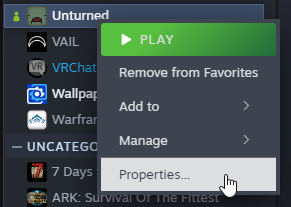
Right-click Unturned and click Properties
- Click Workshop on the left

- Click Show Advanced Options
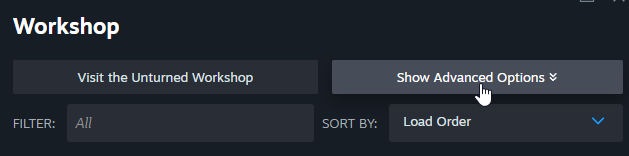
- Click Disable Filtered under Locally Enabled Items

Clear Workshop Files
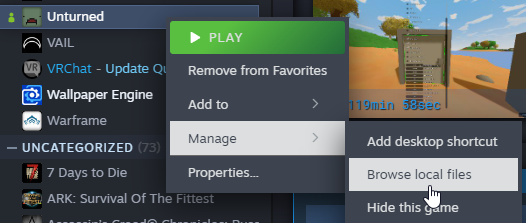
- Right-click Unturned and click Manage -> Browse local files
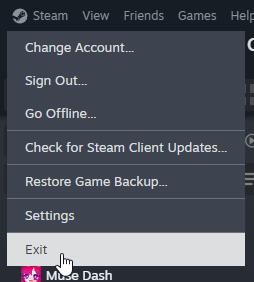
- Click Steam in the top-left and click Exit
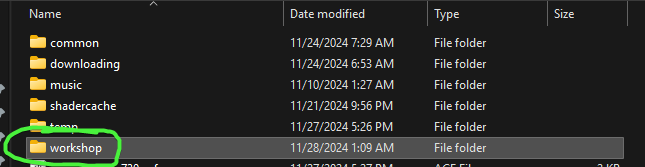
- In File Explorer, click steamapps in the address bar

- Navigate to workshop -> content -> 304930


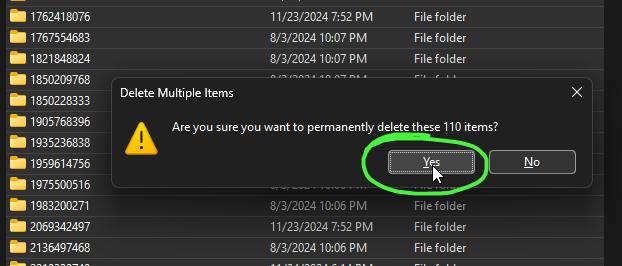
- Press
Ctrl + AthenShift + Delto delete the files
Clear Workshop Cache
This is possibly the most important part so do not skip this step before attempting to reconnect to the server. If you do, and then open a ticket about it, I will personally smite you.
Open Steam again
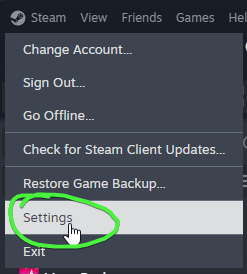
Click Steam in the top-left and click Settings
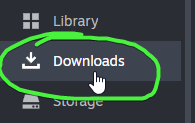
- Click Downloads on the left
- Click Clear Cache next to Clear Download Cache

- Wait until Steam restarts